
Use this process to remove all coordinators from a hierarchy structure within a project. This is useful when you need to clear coordinator assignments in bulk before assigning new coordinators or updating responsibilities.
Important: Bulk removal only affects the current project. Coordinators may still have access to previously completed surveys if they were assigned in those projects.
Step-by-step instructions
- Go to the Group coordinators page.
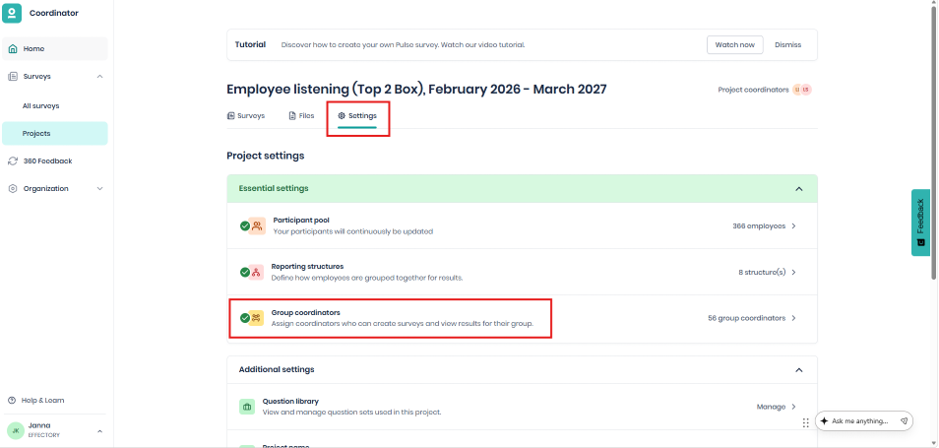
- At the top select the hierarchy structure you want to modify.
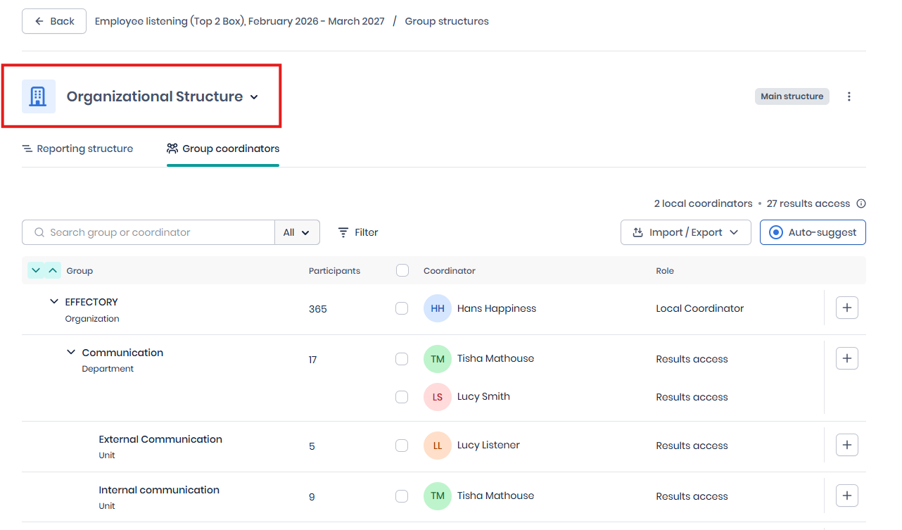
- Select the expand arrow for each level until all hierarchy levels are visible (you might need to click a few times on the arrow down).
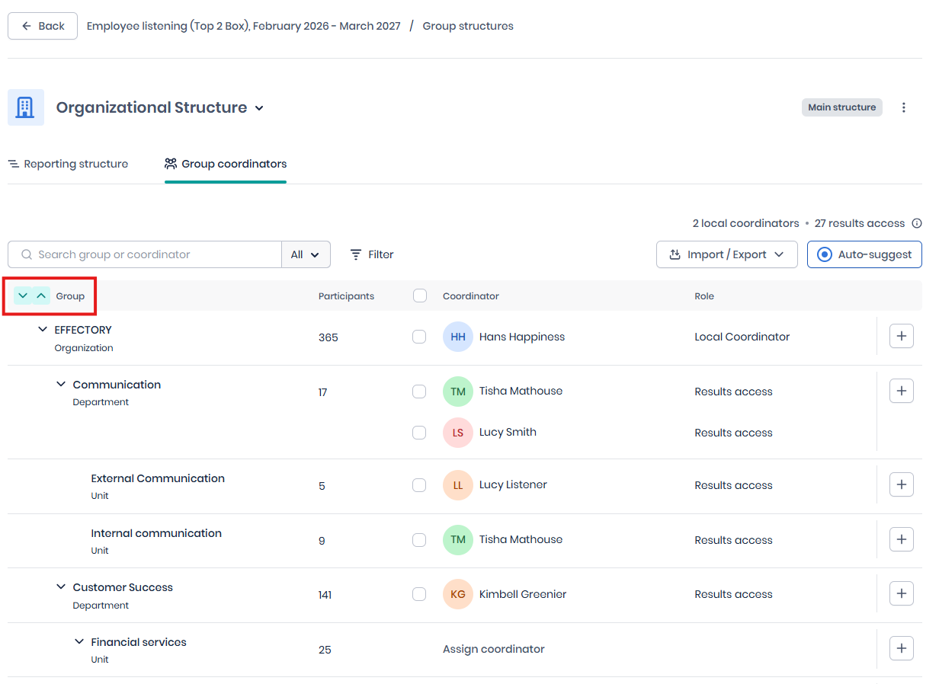
- Select the coordinator checkbox.
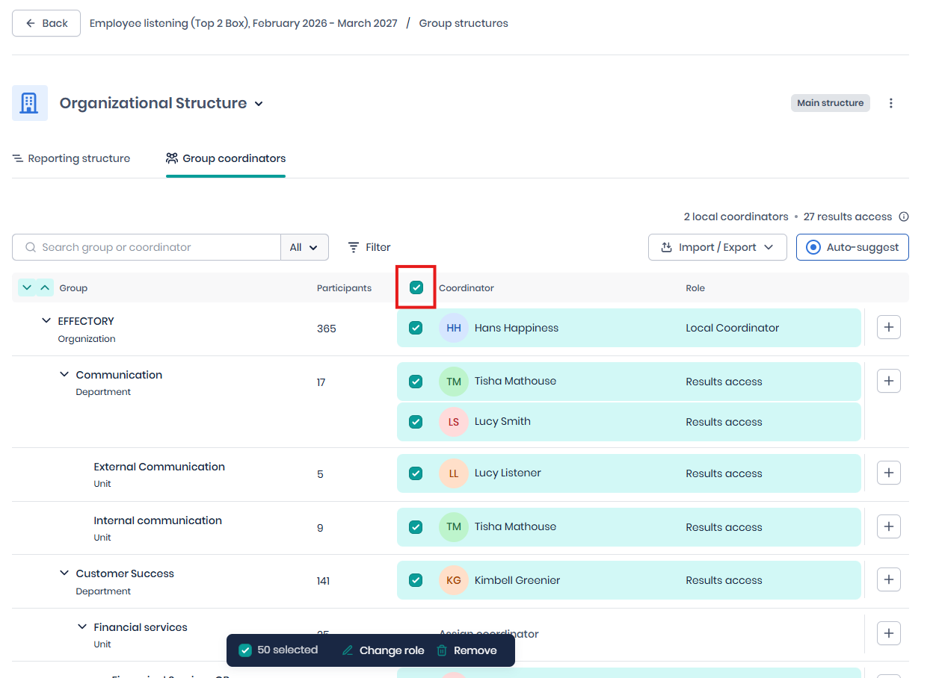
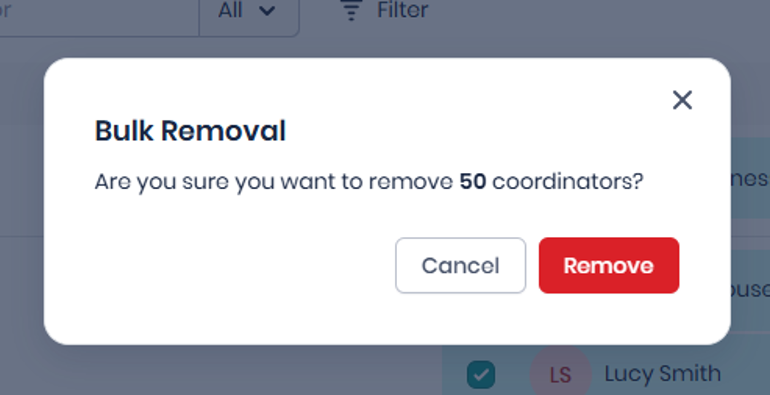
- Click Remove at the bottom of the page and then confirm by clicking on the red Remove button in the pop-up.
- Wait for the removal process to finish.
The process can take 5–15 minutes, depending on the number of managers in the hierarchy.
- Select Refresh page.
- Verify that the coordinator count is 0.
- Repeat these steps for any additional hierarchy structures that require coordinator removal.
Expected outcomes
After the process is complete:
- All coordinator assignments are removed from the selected hierarchy in the current project.
- The coordinator count displays 0 after the page is refreshed.
- The coordinator checkbox only selects coordinators that are visible in the hierarchy. Make sure all hierarchy levels are expanded before selecting the checkbox.
- Removed coordinators may still appear on the page until you refresh the page. Refresh the page before verifying the final count.
- Processing time varies based on the number of managers included in the hierarchy. Allow up to 15 minutes before verifying the result.
Good to know: Previously completed surveys retain existing manager access and are not affected by this change.
Please note:
- The coordinator checkbox only selects coordinators that are visible in the hierarchy. Make sure all hierarchy levels are expanded before selecting the checkbox.
- Removed coordinators may still appear on the page until you refresh the page. Refresh the page before verifying the final count.
- Processing time varies based on the number of managers included in the hierarchy. Allow up to 15 minutes before verifying the result.